vkdmr-logo-cutout.png
IPSC3Version 1.0.35
By Matt Perkins - VK2FLY
Server
IPSC3 Servers
Select another dashboard.
Loading server list...
Login
Public dashboard view (guest)
IPSC3 Live · 07:24:08· RadioID Update -· Viewers 0
IPSC3 over cellular and WiFi

POC Radios

IPSC3 POC turns supported Android network radios into dedicated VKDMR handsets. They use mobile data or WiFi instead of a local RF path, while IPSC3 connects their group calls, private calls, messages and position reports with the wider DMR network.

The client is built as a radio appliance: it starts with the radio, uses the physical PTT and hardware keys, and presents a compact interface designed for the radio display.

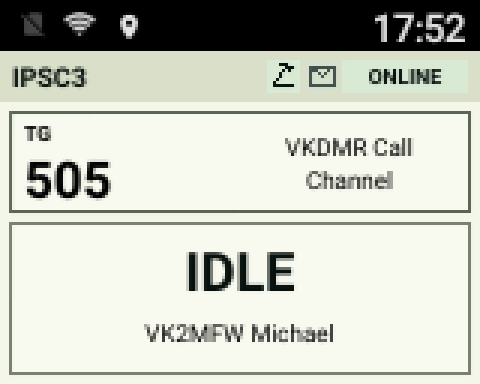
IPSC3 POC day display
Day display
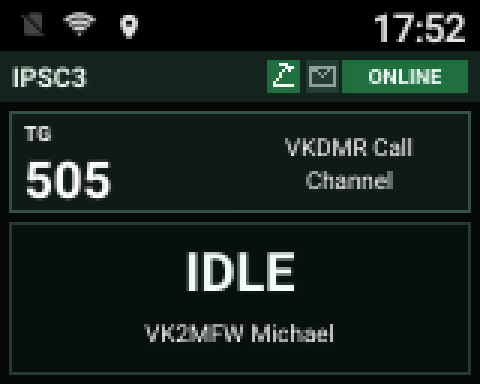
IPSC3 POC night display
Night display

Supported radio families

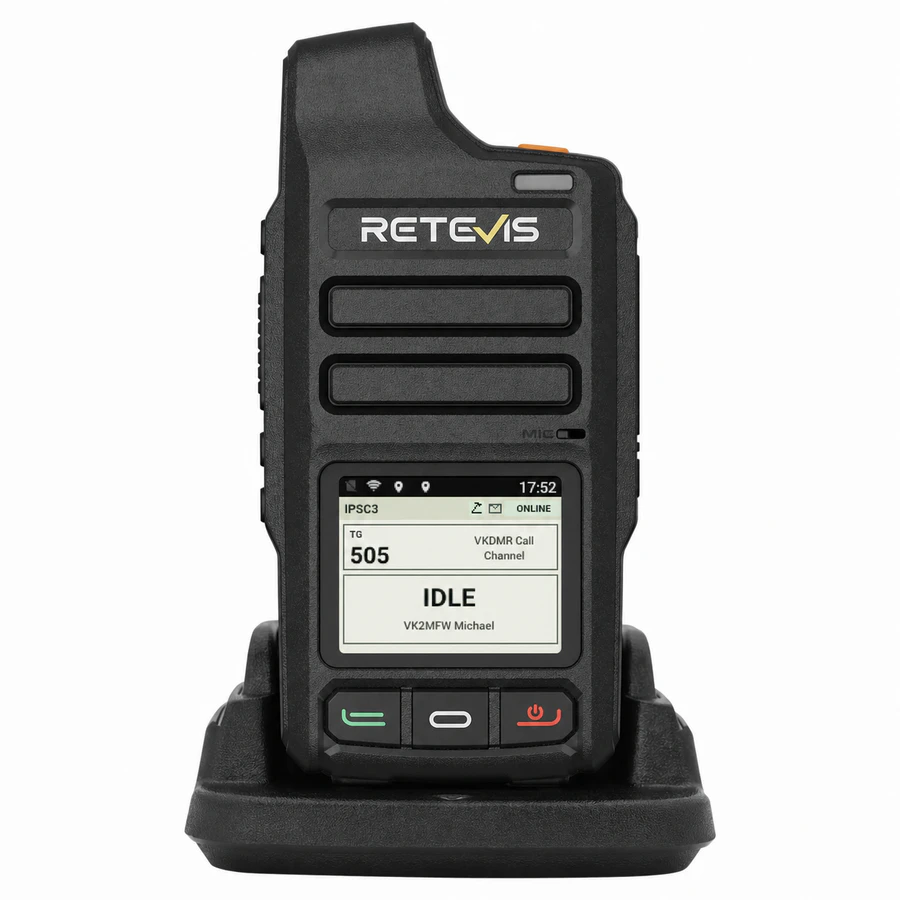
Retevis L71 POC radio displaying the IPSC3 interface
HANDHELD

Retevis L71

A compact Android network-radio handset with physical PTT, dedicated radio controls, GPS, WiFi and cellular data support. The IPSC3 profile supports Android API 27 or newer on ARMv7 hardware.

  • Physical PTT and non-touch radio operation.
  • Volume and talkgroup selection from the radio keys.
  • GPS plus privacy-preserving indoor location fallback.
  • Status LEDs, standby and day/night display modes.

Hardware image source: Retevis.
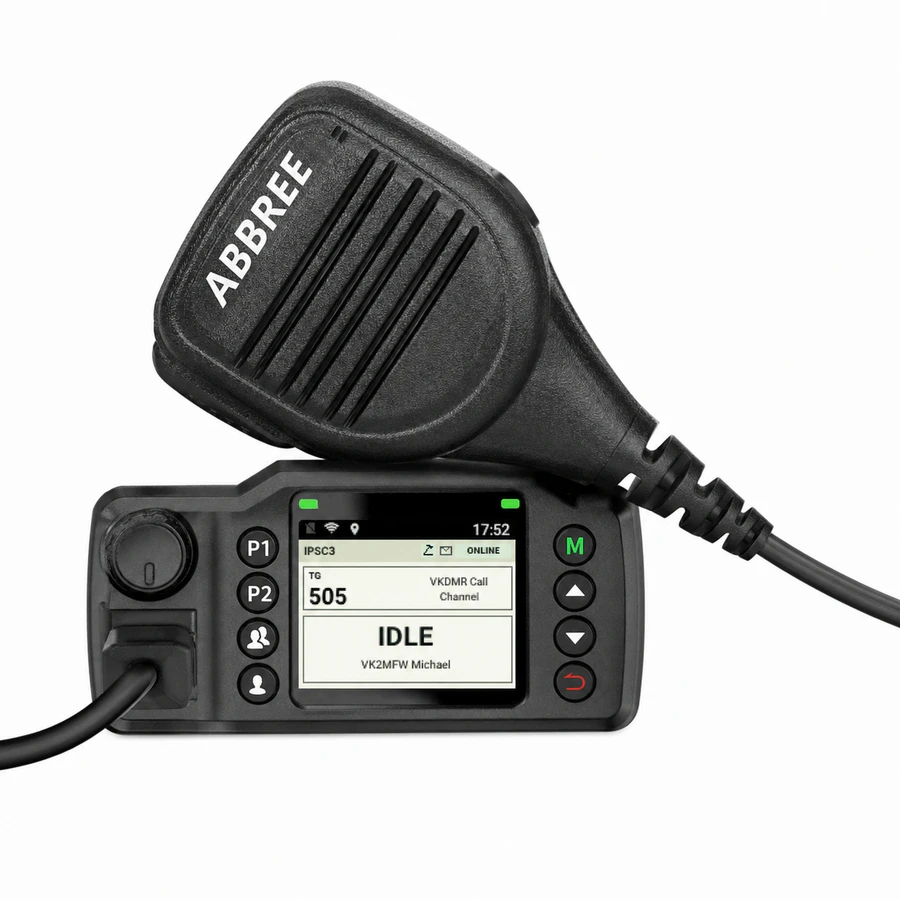
ABBREE branded 8900 POC radio displaying the IPSC3 interface
MOBILE RADIO

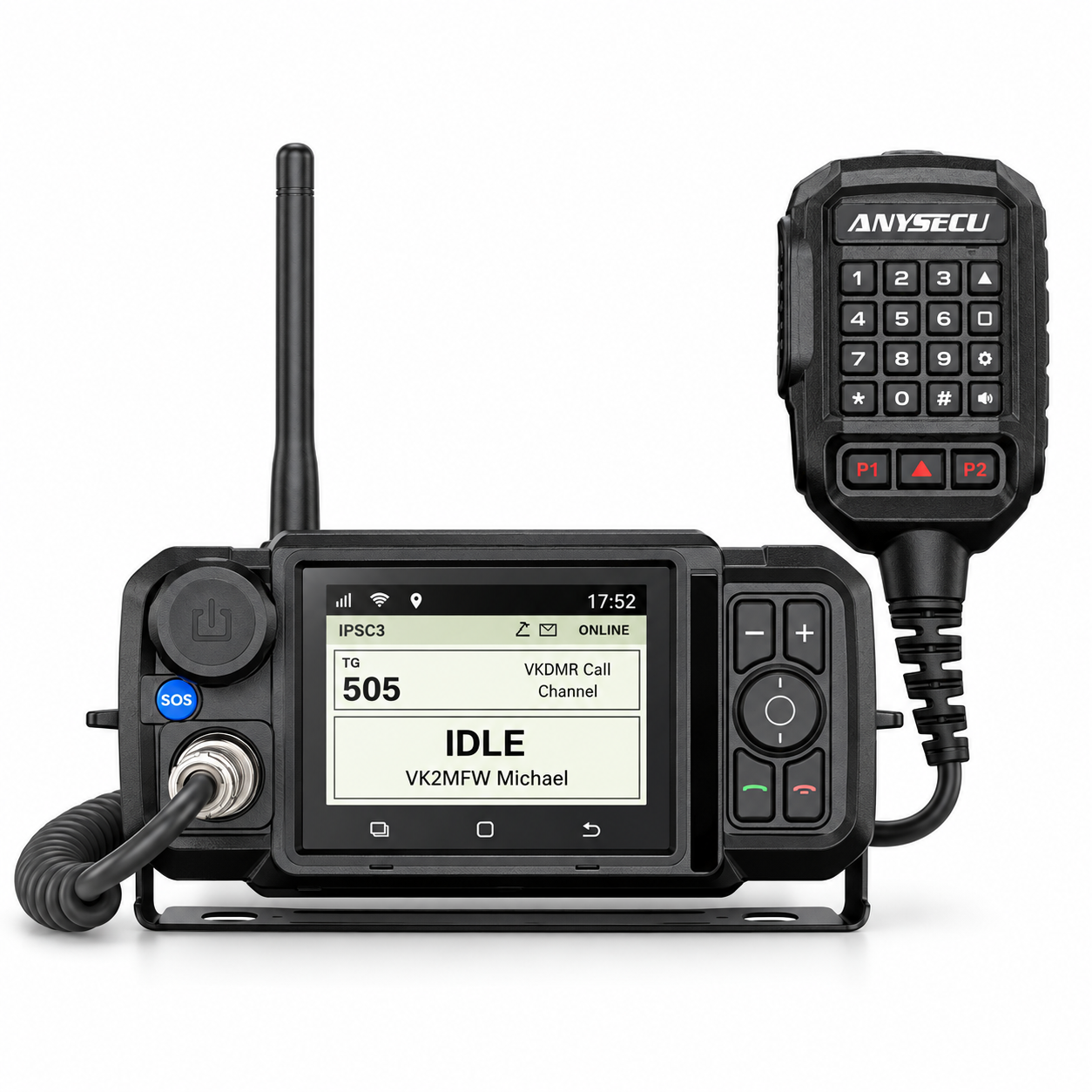
Udo / ABBREE 8900 family

The supported 8900 hardware is sold under several names. It is commonly found as the Udo 8900 or ABBREE 8900, with other rebadged versions also appearing in the market. The current IPSC3 profile targets the Android 8.1 ARMv7 variant.

  • Physical PTT and hardware volume control.
  • P2 function key and dedicated direct/group controls.
  • Selectable screen rotation for different installations.
  • GPS, WiFi, cellular data and radio status indications.

Hardware shown with ABBREE branding.

Check the exact hardware before buying

A similar case or an 8900 model number does not guarantee compatibility. Rebadged radios can use different Android versions, USB identities, key mappings or audio hardware. Use a currently supported device profile and confirm an unfamiliar 8900 variant with the VKDMR team before purchase.

Australian buyers: choose the European/international cellular-band version of the 8900 rather than the US-market version, and confirm its supported LTE bands with your intended Australian carrier before ordering.

What the IPSC3 POC client provides

Group and scan calls

Select from the talkgroups announced by the server, use normal group calls, and follow network activity through IPSC3 scan mode.

Private calls and SMS

Call or message a Radio ID through IPSC3 roaming, including supported DMR repeaters and hotspots. SMS to 9998 can use the network AI assistant.

GPS and mapping

Position reports enter the normal IPSC3 roaming, map, history and APRS-IS path without sending private WiFi identifiers to the server.

Server selection

The radio obtains the available IPSC3 servers from the master directory and can move between published systems from its menu.

Parrot and audio checks

Use the configured parrot talkgroup to hear the complete POC-to-DMR audio path and check the transmitted audio level.

Multiple radios

More than one POC radio may use the same Radio ID. Each installation keeps separate talkgroup, RTP and receive state.

Install or update

  1. Download the current Windows or Apple silicon macOS installer.
  2. Extract the ZIP and launch the provisioning application.
  3. Connect the supported radio by USB and let the installer detect its profile.
  4. Select the IPSC3 server and provision the operator Radio ID.
  5. Wait for the successful completion message before disconnecting the radio.

Normal operation

  • Press PTT and wait for the transmit grant before speaking.
  • Use the hardware controls to select talkgroups and adjust volume.
  • The display shows the caller callsign and name resolved by IPSC3.
  • Use the menus for direct calls, SMS, server selection and radio settings.
  • The radio reconnects automatically after a temporary data-link loss.

Ready to provision a radio?

Download the current installer, then keep the user guide nearby for radio controls, WiFi setup, messaging, talkgroup filters and troubleshooting.